

3000W Power Stabilizer & UPS Backup unit for your printer
R 24,990.00
- USD: 1,521.23$
3000W Power Stabilizer & UPS Backup Unit for Your Printer
Why Your Print Shop Needs This:
- Zero Downtime: Seamlessly switches over in under 20 milliseconds when load shedding hits—your active print jobs won’t fail, and your media won’t go to waste.
- Hardware Protection: Built-in pure sine wave regulation actively safeguards your mainboards and sensitive printheads (like XP600 configurations) against erratic voltage spikes and dips.
- Rapid Recovery: High-performance LiFePO4 lithium technology ensures the unit charges back up to 100% capacity in approximately 2 hours between power cuts.
Production Compatibility Matrix:
-
Large Format Eco-Solvent / UV Flatbed / UV DTF: Powers the entire main unit, carriage motors, control PC/Laptop, and low-wattage curing lamps through a standard load shedding block (~2 to 3 hours). (Note: Media bed heaters should be isolated).
-
Dual-Head DTF Printer: Safely runs the core printing unit, carriage, and ink systems. (Note: Inline powder shakers/curing ovens must be operated on an alternate source or run when grid power returns).
Description
Kit Includes:
1x Type 3000VA (3000W) PURE Sine Wave Inverter (1200W PWM Solar Controller)
2x Lithium LifePO4 100Ah 12V Batteries
1x Steel Battery Case
2x 100AH BATTERIES INCLUDED
Unit Dimensions(l,w,h): 45.5 x 42 x 45
Weight: 56kg
- 2 Year warranty on the batteries
- 24 Month carry in warranty
| Printer Type | What It Powers (Safe Zone) | What to Unplug/Isolate | Expected Runtime |
| Large Format Eco-Solvent | Main unit, motors, printheads, control PC, and low-wattage front fans. | Turn off or unplug the high-wattage integrated media bed heaters. | ~2 to 3 hours (Full load shedding block) |
| Dual-Head DTF | The printer unit itself (carriage, ink system, vacuum bed). | ABSOLUTELY DO NOT plug in the inline powder shaker/curing oven. | ~2.5 hours |
| Small Flatbed UV / UV DTF | Main machine, carriage motors, and the UV LED curing lamps (low power draw). | Any large external air compressors or heavy extraction fans. | ~2 hours |
The Golden Rule for DTF Clients: The curing oven/powder shaker pulls massive wattage (1500W–3000W) to generate heat. Running it on this trolley will immediately trip the overload protector or drain the battery in minutes. Clients must cure prints using a low-wattage manual drawer dryer during load shedding, or wait for grid power to return to run the shaker.
Official User Guide: How to Use Your Backup Kit
Step 1: Safe Positioning & First Connection
- Place the trolley on a flat surface in a well-ventilated area near your printing machine. Keep it at least 20cm away from walls to allow the cooling fans to work.
- Ensure the main power switch on the front of the inverter is turned OFF.
- Plug the heavy-duty power input cable from the trolley directly into a standard 230V wall socket. Turn the wall socket on.
Step 2: Powering Up the System
- Turn the inverter’s power switch to the ON position. The LCD screen will light up, and the unit will beep.
- The screen will show that it is bypassing utility power to your machines while simultaneously charging the internal Lithium batteries.
- Plug a high-quality multi-plug adapter into the output socket at the back of the trolley.
Step 3: Connecting Your Print Setup
- Turn off your printer’s media heaters via its control panel software or temperature dials.
- Plug your Printer and your Control RIP PC/Laptop into the trolley’s multi-plug.
- Note: Leave the system completely plugged in like this permanently. When the grid power is on, it passes clean electricity through to your machines. When load shedding hits, it switches over to battery power in less than 20 milliseconds—meaning your printer won’t even blink, and your active print job won’t be ruined.
Step 4: What to Do When Load Shedding Hits
- Keep Printing: You can safely finish your current print job or run urgent, short production runs.
- Monitor the Screen: Keep an eye on the battery level indicator on the LCD. If it drops to the last bar, save your work and safely shut down the printer via its normal shutdown procedure (allowing the printheads to cap safely).
- Post-Load Shedding Recovery: When grid power returns, leave the trolley turned on and plugged in. The Lithium batteries recharge incredibly fast and will be back to 100% capacity in about 2 hours, ready for the next power cut.
Related products
-
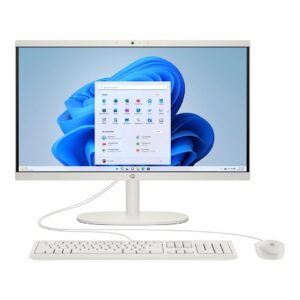
HP 22-dg0001ni Core i3 All-in-One PC | Optimized Design & Production Workstation
R 23,000.00Add to cart- USD: 1,400.09$
-
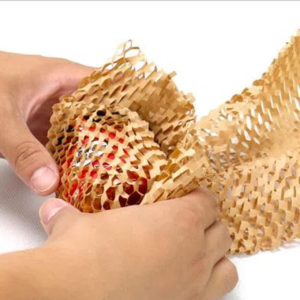
Honeycomb Wrapping Paper Brown
R 2,698.00Add to cart- USD: 164.24$
-
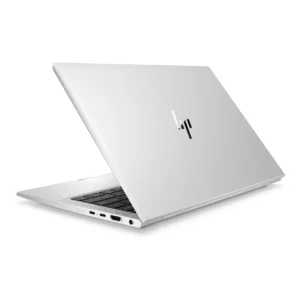
HP EliteBook 830 G8 13.3-inch FHD Touch Laptop | Enterprise Design & Field Station
R 27,000.00Add to cart- USD: 1,643.59$