
Dual Tray Auto Open Large Format Heat Press (100x80cm)
User Guide: Dual Tray Auto Open Large Format Heat Press (100x80cm)
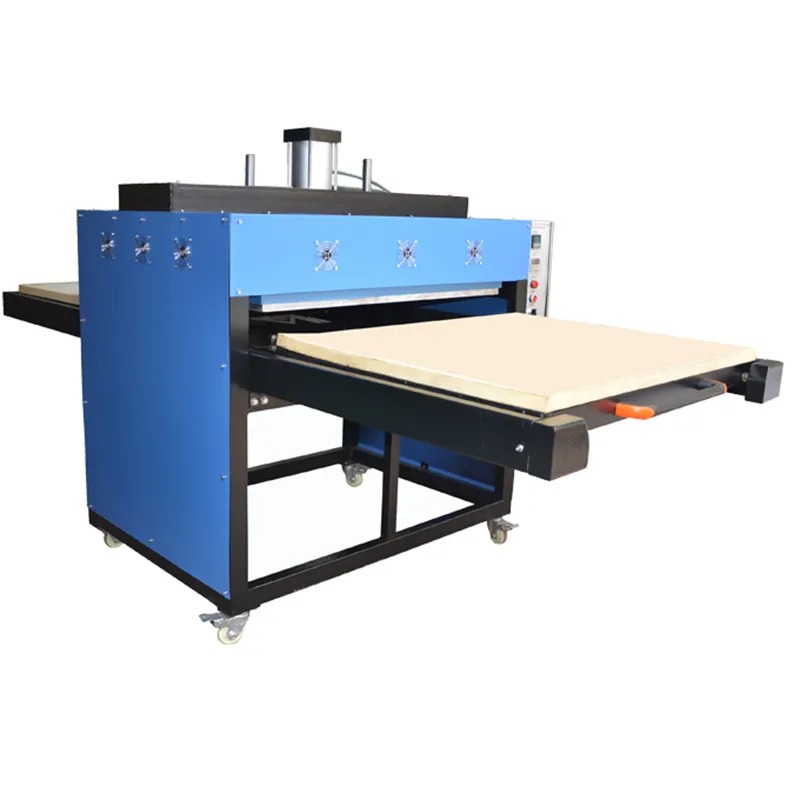
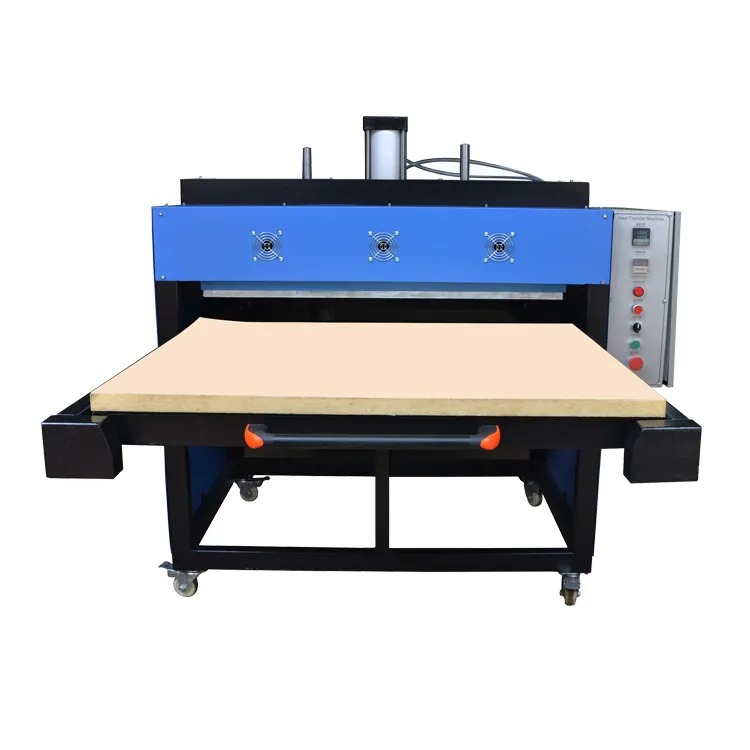
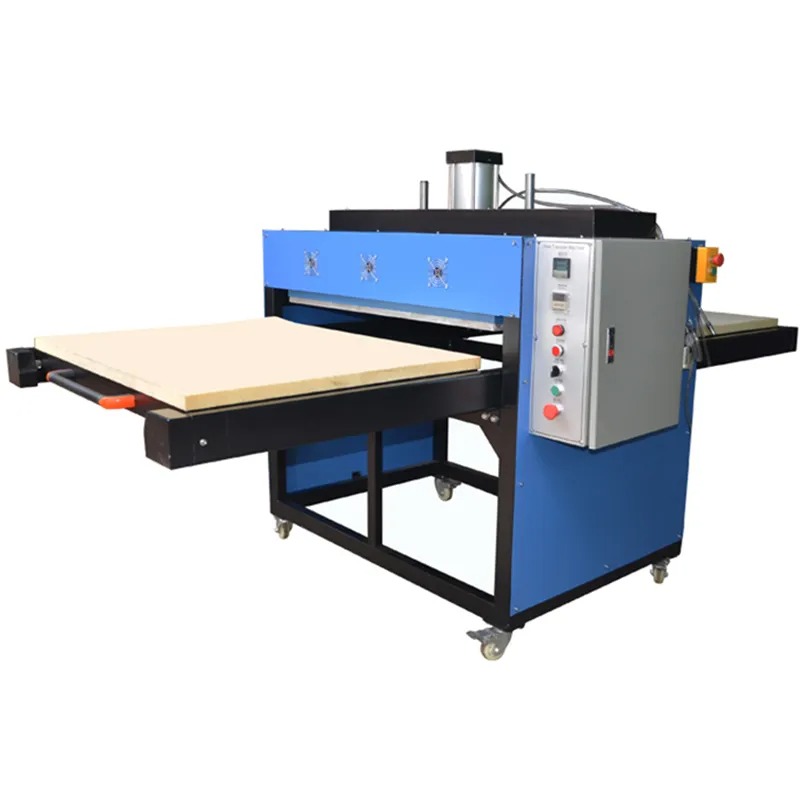
The SourcePrinting Dual Tray Auto Open Heat Press is an industrial powerhouse designed for high-efficiency sublimation, DTF transfers, and HTV. With a massive 100x80cm surface and a dual-station design, it is built to handle oversized garments like sportswear and hoodies with ease.
1. Electrical & Installation Requirements
Power Supply: This machine is a high-power unit (20 kW).
- It requires a stable 220V or 380V industrial connection.
- Electrician Note: Ensure the machine is connected to a dedicated high-amperage circuit breaker (similar to the requirements of a Calandra/Roller press) to handle the 20 kW load.
- Air Supply: This is a Fully Automatic pneumatic machine. You will need a standard Air Compressor (not included) to provide the 0–4 kg/cm² working pressure required for the auto-open and clamping functions.
- Placement: Ensure the machine is placed on a level, solid floor. The dimensions are 180x90x155 cm, so allow at least 1 meter of clearance around the dual trays for operator movement.
2. Operating Instructions
Power On: Switch on the main power and the digital controller.
Set Parameters:
- Temperature: Standard sublimation is usually 190°C – 210°C.
- Time: Set between 30–60 seconds depending on the media.
- Pressure: Adjust the air regulator on your compressor to achieve the desired kg/cm².
- Heating: Wait for the plate to reach the target temperature. Because of the large 100x80cm plate, allow roughly 20–30 minutes for heat to distribute evenly across the entire surface.
- Loading Tray 1: Lay your garment flat on the first tray, place your transfer paper/DTF film on top, and slide the tray under the heat plate.
- Pressing: Engage the start buttons. The machine will clamp down automatically.
- Dual Station Workflow: While Tray 1 is pressing, load Tray 2. Once the timer hits zero, the machine Auto-Opens. Slide Tray 1 out and immediately slide Tray 2 in to maintain a continuous production cycle.
3. Best Practices for Large Format Success
- Pre-Press Your Fabric: Always press the garment for 3–5 seconds before applying the transfer. This removes moisture and wrinkles, ensuring a crisp, permanent bond.
- Heat Tape: Because the trays move, use heat-resistant tape to secure your transfer paper to the garment. This prevents “ghosting” caused by the paper shifting during tray movement or the auto-open air suction.
- Check Your Edges: When printing 100x80cm designs, ensure your artwork stays within the 95x75cm safety zone to ensure 100% heat consistency at the very edges of the plate.
4. Maintenance & Care
- Keep it Clean: Use a specialized iron cleaner or a soft cloth to wipe the heating plate (while warm but not hot) to remove any adhesive or ink residue.
- Drain the Compressor: Regularly drain the water from your air compressor tank. Moisture in the air lines can damage the pneumatic cylinders of the heat press.
- Lubricate Rails: Apply a small amount of high-temperature grease to the tray sliding rails once a month to ensure smooth, effortless movement.
- Check the Silicon Pad: Inspect the blue/orange silicon pads on the trays. If they become pitted or uneven, replace them to ensure even pressure across the entire 100cm width.